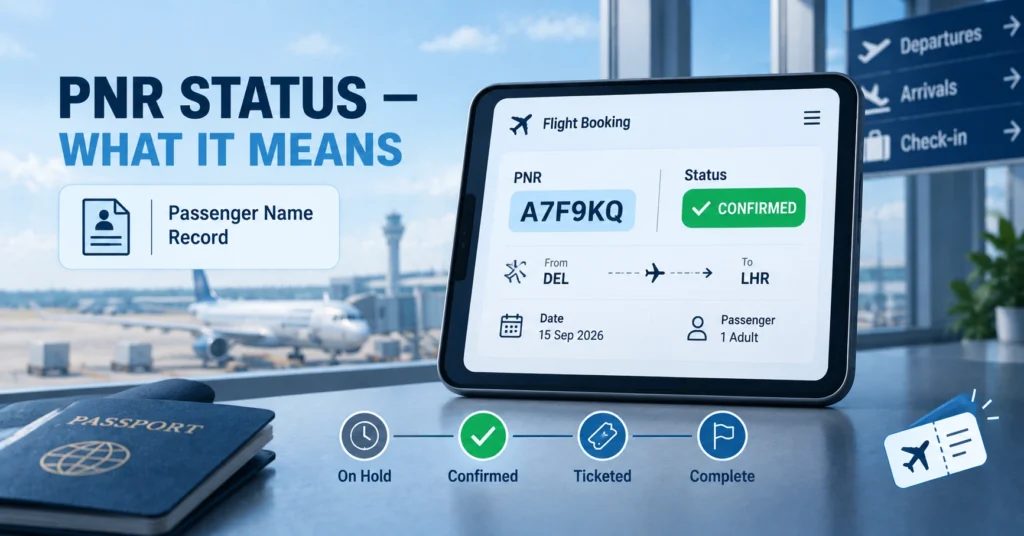
TL;DR: The PNR status meaning refers to the current state of your flight booking as recorded in the airline’s reservation system, shown through your Passenger Name Record. This PNR status meaning tells you whether your seat is confirmed, still waitlisted, ticketed, or affected by a schedule change, and it’s tied to a unique six-character alphanumeric code generated the moment you book.
What PNR Actually Stands For
PNR stands for Passenger Name Record. Understanding the PNR status meaning starts with understanding what a PNR actually is: a complete file created inside the airline’s Computer Reservation System or Global Distribution System the moment you complete a booking. This file holds your name, itinerary, contact details, seat and meal preferences, fare information, and payment status, all tied together under one short code that the PNR status meaning refers back to every time you check it.
| Element | Detail |
|---|---|
| Full Form | Passenger Name Record |
| Format | Six-character alphanumeric code (e.g., A7F9KQ, XK7PQ2) |
| Where It’s Generated | Airline’s reservation system, immediately upon booking |
| What It Contains | Passenger name, itinerary, contact info, fare, seat, meal preferences |
| Where to Find It | Confirmation email, e-ticket, or airline app under “My Trips” |
So What Does “Status” Actually Mean Here
The PNR status meaning specifically refers to where your booking currently stands in the airline’s system, separate from the PNR code itself, which is just the identifier used to look that status up. A PNR code doesn’t change once assigned, but the status attached to it can shift as your booking moves through different stages, from an initial reservation hold through to a fully issued and ticketed booking.
Common PNR Status Meaning Types Explained
This is really the heart of the PNR status meaning, since the specific word attached to your booking tells you exactly where things stand.
| Status | What It Means |
|---|---|
| Confirmed | Your seat reservation is confirmed, but the e-ticket may not be issued yet |
| Ticketed | The airline has issued an e-ticket against your PNR; this is the final confirmation |
| On Hold | A reservation exists but payment or ticketing hasn’t been completed |
| Waitlisted | No confirmed seat yet; you’re in line for one to open up |
| Cancelled | The booking has been cancelled, either by the passenger or the airline |
| Schedule Changed | The airline has altered flight timing or routing on an existing PNR |
A “Confirmed” status is often mistaken for a fully finished booking, but the more accurate reading of the PNR status meaning in this case is that your seat is held while the airline finalizes ticketing, which for most bookings happens automatically within minutes.
How to Actually Check Your PNR Status Meaning
Checking is usually a quick process, though the exact steps vary slightly by airline.
- Locate your six-character PNR code on your confirmation email, e-ticket, or booking app.
- Visit the airline’s official website or app and find the “Manage Booking” or “My Trips” section.
- Enter your PNR along with your last name, since most systems require both for security.
- Review the displayed status, which will show one of the common status types listed above.
- If booked through a travel agency or third-party site, you can often check status there as well, using either the PNR or the agency’s own booking reference.
PNR Status Meaning for Trains vs. Flights: Not the Same System
This distinction trips a lot of people up, especially in regions like India where both systems are heavily used side by side. An airline PNR is a six-character alphanumeric code, while a train PNR, such as one issued by Indian Railways, is a completely separate ten-digit numeric code with its own distinct status system.
| Feature | Airline PNR | Train PNR (e.g., Indian Railways) |
|---|---|---|
| Format | 6 characters, letters and numbers | 10 digits, numeric only |
| Common Status Terms | Confirmed, Ticketed, Waitlisted, Cancelled | Confirmed, RAC, Waitlisted, Cancelled |
| Where to Check | Airline website or app | Railway’s own PNR enquiry service |
| Unique Status Type | Schedule Changed | RAC (Reservation Against Cancellation) |
If you’re trying to check a flight PNR on a railway enquiry site, or vice versa, it simply won’t work, since the two systems don’t share any data despite the shared terminology.
Why the PNR Status Meaning Actually Matters to Your Trip
Knowing your current status does more than satisfy curiosity. It affects how you plan the rest of your trip, from when to arrive at the airport to whether you need to follow up with the airline before your travel date. A waitlisted status means you should have a backup plan in case a seat doesn’t open up, while a confirmed-but-not-yet-ticketed status is usually just a matter of waiting a short window before the booking finalizes on its own. Checking your status also lets you catch schedule changes early, since airlines sometimes adjust flight times on an existing PNR without necessarily reaching out proactively through every communication channel.
Common Issues and What They Usually Mean for Your PNR Status
A few recurring situations come up often enough that they’re worth addressing directly.
| Situation | Likely Explanation |
|---|---|
| Status shows “On Hold” for an extended period | Payment may not have processed correctly; contact the airline or booking platform |
| PNR not found when searching | Double-check for typos; some systems are case-sensitive or require the booking-platform reference instead |
| Status shows “Ticketed” but no e-ticket received | Check spam folders first; most e-tickets are issued and emailed within 15 to 30 minutes of payment |
| Name spelling error on the PNR | Contact the airline immediately; minor corrections are often handled free, but full name changes are frequently restricted |
| Waitlisted status close to departure | Monitor status regularly, since seats can open up from other passengers’ cancellations right up until departure |
A Note on Codeshare and Multi-Airline PNR Status Meaning
If your itinerary involves two different airlines, such as a codeshare flight or separate connecting bookings, each airline typically issues its own separate PNR for its portion of the journey. This means the PNR status meaning for one leg of your trip might differ from the status on another leg, and checking one airline’s system won’t necessarily show you information tied to the other carrier’s booking. Keeping both PNR codes handy, rather than assuming one covers the entire itinerary, avoids confusion at check-in or if you need to make changes.
Why Airlines Use This System in the First Place
The underlying reason the PNR status meaning matters so much comes down to how airline reservation systems actually work behind the scenes. Every airline runs on a Computer Reservation System or connects through a Global Distribution System shared across multiple carriers and travel agencies. These systems need a consistent way to track millions of bookings simultaneously, and assigning each one a unique code with a clearly defined status is how that tracking stays organized. Without a standardized status system, there would be no reliable way for airline staff, travel agents, or passengers themselves to quickly confirm where a given booking stands at any moment.
How Different Airlines Display Status Slightly Differently
While the core PNR status meaning stays consistent across the industry, the exact wording and interface can vary from one airline to another. Some carriers use “Confirmed” as their default label the moment a reservation is made, while others reserve that term specifically for after payment clears. A few budget carriers skip some intermediate statuses entirely, moving bookings straight from “On Hold” to “Ticketed” within minutes of payment, without ever displaying a separate confirmed-but-unticketed stage to the passenger.
| Airline Type | Typical Status Flow |
|---|---|
| Full-service carriers | Reserved → Confirmed → Ticketed |
| Budget/low-cost carriers | On Hold → Ticketed (often skipping a visible interim stage) |
| Codeshare bookings | Separate status tracked per operating airline |
| Group or corporate bookings | Additional “Pending Approval” stage sometimes included |
Frequently Asked Questions About PNR Status Meaning
The PNR status meaning is the current stage of your flight booking in the airline’s system, communicated through terms like Confirmed, Ticketed, Waitlisted, or Cancelled, all tied to your unique six-character Passenger Name Record.
Usually within 15 to 30 minutes of successful payment, though delays can occur if there’s a payment processing issue or a high volume of bookings being processed by the airline at that time.
Yes. Status can update due to schedule changes, waitlist movement, cancellations, or ticketing completion, so it’s worth rechecking closer to your travel date, especially if your original status wasn’t a final one like Ticketed.
No. They’re entirely separate systems despite similar terminology; a flight PNR is a six-character alphanumeric code checked through the airline, while a train PNR is a ten-digit numeric code checked through the relevant railway’s own enquiry service.
Keep monitoring it regularly, since seats can open up from other passengers changing or cancelling their bookings right up until departure, and have a backup plan in case a confirmed seat doesn’t come through in time.